靜態資源認證保護
先到本機裡的 Nginx 設定檔中,建立一個設定檔叫 protect-static-file.local
其中 protect-static-file.local 的設定檔
server {
    listen 8401;
    server_name 127.0.0.1;

    location / {
        auth_request /auth;
        auth_request_set $auth_status $upstream_status;
    }

    location = /auth {
        internal;
        proxy_pass http://127.0.0.1:8402/auth.php;
        proxy_pass_request_body off;
        proxy_set_header Content-Length "";
        proxy_set_header Host $host;
        proxy_set_header X-Original-URI $request_uri;
        proxy_set_header X-Forwarded-For $proxy_add_x_forwarded_for;
        proxy_set_header X-Forwarded-Proto $scheme;
        proxy_set_header X-Real-IP $remote_addr;
        proxy_set_header Authorization $http_authorization;
        proxy_pass_header Authorization;
    }

    error_log /var/log/nginx/protect-static-file-error.log;
    access_log /var/log/nginx/protect-static-file.log;
}
在 macOS 中檢查 Nginx 設定檔
sudo nginx -t
重啟 Nginx
sudo nginx -s reload
到測試的專案資料夾中

啟動 PHP Build-in web server 服務
注意 ⚠️ 這是獨立的網站
php -S 127.0.0.1:8402
其中的 auth.php 裡面如下,用來簡單測試成功、失敗 ( 手動修改 )
function echo403() {
  header('WWW-Authenticate: Basic realm="My Realm"');
  header('HTTP/1.0 403 Unauthorized');
  echo 'Text to send if user hits Cancel button';
}

function echo200() {
  header('WWW-Authenticate: Basic realm="My Realm"');
  header('HTTP/1.0 200 Unauthorized');
  echo 'ok';
}

echo403();
// echo200();
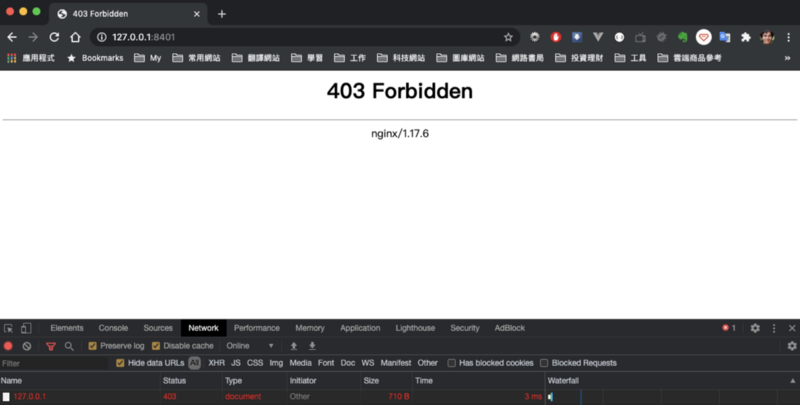
將返回值改為失敗時
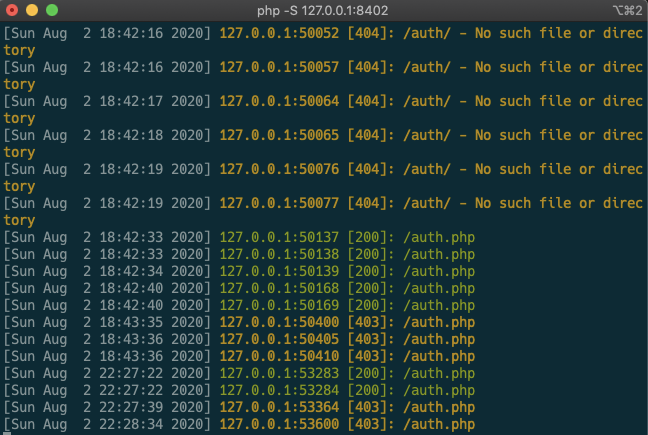
看一下 PHP Build-in web server 時,確定進入首頁 / 時,有被導向 auth.php
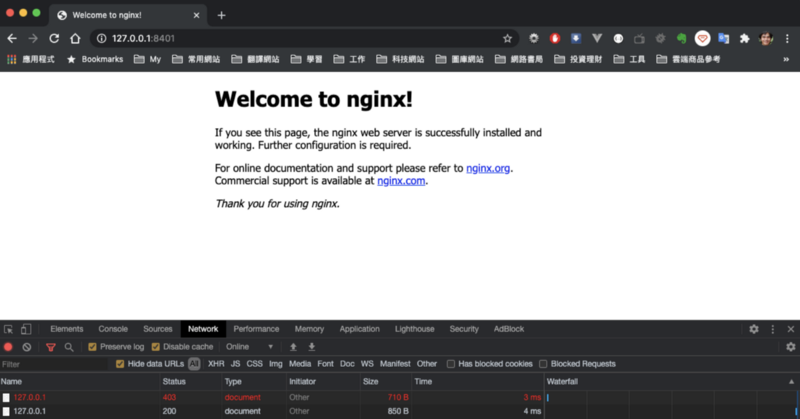
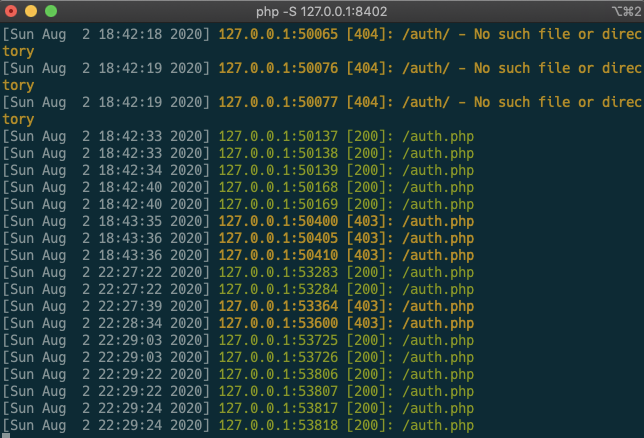
當返回成功時
圖片保護
這次在根目錄中設定一個 root 參數,指向有圖片檔案的位置
server {
    listen 8401;
    server_name 127.0.0.1;

    location / {
      root /Users/ben/media/file/private;
      auth_request /auth;
      auth_request_set $auth_status $upstream_status;
    }

    location = /auth {
        internal;
        proxy_pass http://127.0.0.1:8402/auth.php;
        proxy_pass_request_body off;
        proxy_set_header Content-Length "";
        proxy_set_header Host $host;
        proxy_set_header X-Original-URI $request_uri;
        proxy_set_header X-Forwarded-For $proxy_add_x_forwarded_for;
        proxy_set_header X-Forwarded-Proto $scheme;
        proxy_set_header X-Real-IP $remote_addr;
        proxy_set_header Authorization $http_authorization;
        proxy_pass_header Authorization;
    }

    error_log /var/log/nginx/protect-static-file-error.log;
    access_log /var/log/nginx/protect-static-file.log;
}
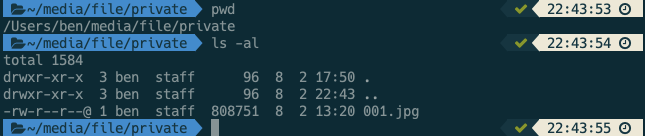
在專案中的 auth.php 一樣使用手動方式進行測試

function echo403() {
  header('WWW-Authenticate: Basic realm="My Realm"');
  header('HTTP/1.0 403 Unauthorized');
  echo 'Text to send if user hits Cancel button';
}

function echo200() {
  header('WWW-Authenticate: Basic realm="My Realm"');
  header('HTTP/1.0 200 Unauthorized');
  echo 'ok';
}

// echo403();
echo200();
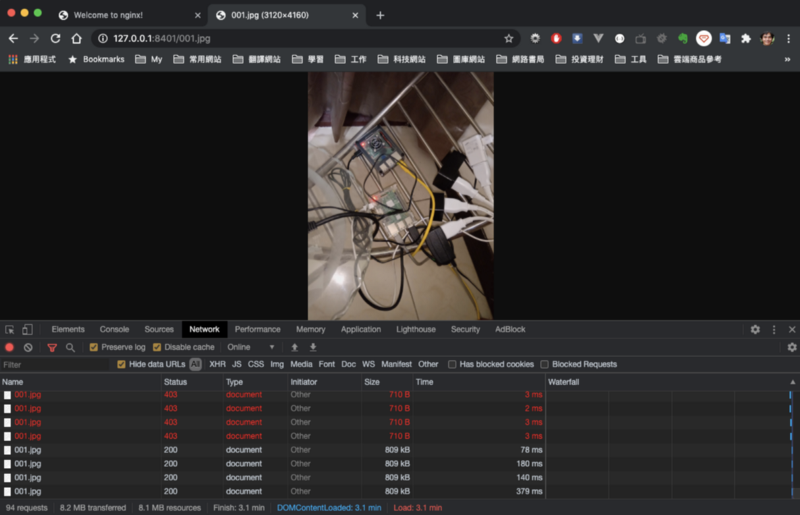
成功時,可以取得圖片
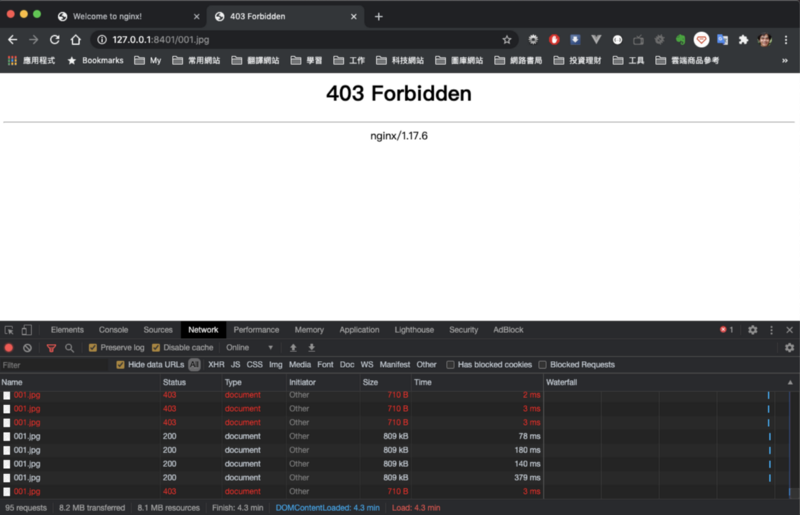
失敗時返回 403
自訂路徑的圖片保護
如下圖,自訂一個 private 路徑,用來做 URL 路由下的檔案保護
這裡要注意的是 URL 路由要搭配實際的檔案資料夾路徑來使用
server {
    listen 8401;
    server_name 127.0.0.1;

    location / {
        return 403;
    }

    location /private/ {
        root /Users/ben/media/file;
        auth_request /auth;
        auth_request_set $auth_status $upstream_status;
    }

    location = /auth {
        internal;
        proxy_pass http://127.0.0.1:8402/auth.php;
        proxy_pass_request_body off;
        proxy_set_header Content-Length "";
        proxy_set_header Host $host;
        proxy_set_header X-Original-URI $request_uri;
        proxy_set_header X-Forwarded-For $proxy_add_x_forwarded_for;
        proxy_set_header X-Forwarded-Proto $scheme;
        proxy_set_header X-Real-IP $remote_addr;
        proxy_set_header Authorization $http_authorization;
        proxy_pass_header Authorization;
    }

    error_log /var/log/nginx/protect-static-file-error.log;
    access_log /var/log/nginx/protect-static-file.log;
}
主要設定區塊如下
location /private/ {
  root /Users/ben/media/file;
  auth_request /auth;
  auth_request_set $auth_status $upstream_status;
}
在根路由 URL 後有 private 路徑
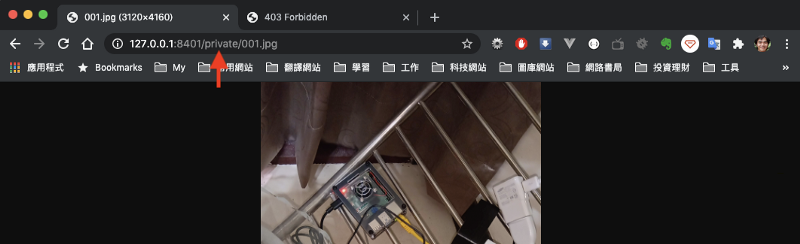
對應設定檔 root 根檔案路徑裡的 private 資料夾
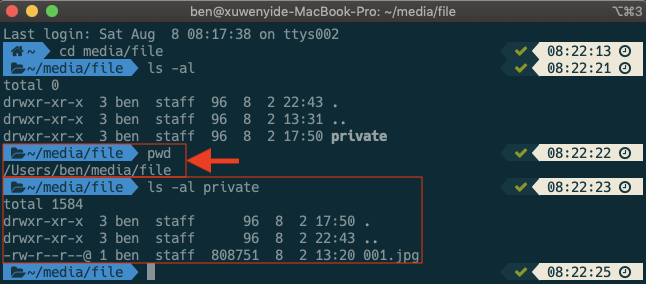
可以觀察剛剛設定的 log 檔案
/var/log/nginx/protect-static-file.log
有成功取得圖片的 log 記錄
127.0.0.1 - - [08/Aug/2020:08:44:44 +0800] “GET /private/001.jpg HTTP/1.1” 304 0 “-“ “Mozilla/5.0 (Macintosh; Intel Mac OS X 10_14_6) AppleWebKit/537.36 (KHTML, like Gecko) Chrome/84.0.4147.105 Safari/537.36”
認證頁面
location = /auth {
  internal;
  proxy_pass http://127.0.0.1:8402/auth.php;
  proxy_pass_request_body off;
  proxy_set_header Content-Length "";
  proxy_set_header Host $host;
  proxy_set_header X-Original-URI $request_uri;
  proxy_set_header X-Forwarded-For $proxy_add_x_forwarded_for;
  proxy_set_header X-Forwarded-Proto $scheme;
  proxy_set_header X-Real-IP $remote_addr;
  proxy_set_header Authorization $http_authorization;
  proxy_pass_header Authorization;
}
認證頁程式碼
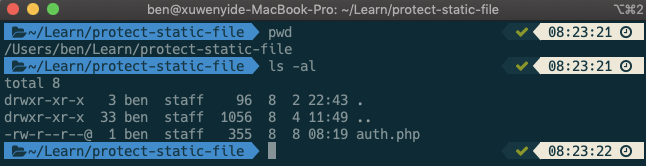
function echo403() {
  header('WWW-Authenticate: Basic realm="My Realm"');
  header('HTTP/1.0 403 Unauthorized');
  echo 'Text to send if user hits Cancel button';
}

function echo200() {
  header('WWW-Authenticate: Basic realm="My Realm"');
  header('HTTP/1.0 200 Unauthorized');
  echo 'ok';
}

// echo403();
echo200();
禁止訪問首頁
location / {
  return 403;
}
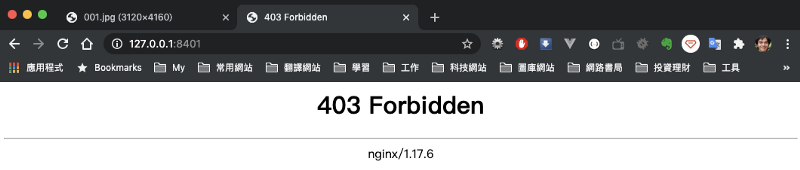
參考
https://stackoverflow.com/questions/54733347/nginx-auth-request-is-ignored
回上一頁